Portal, app, login and a second language

A UI framework has a decision to make long before it renders anything: how much of the application does it own? Own too little and every realm re-invents a menubar, a login page and a place to put state; own too much and a realm that wants a different shell has to fight the framework to get one.
Blong's browser realm answers with a stack of four levels, each of which can be replaced, and with one small convention that keeps translation from being a second vocabulary everybody has to learn.
Four levels, each with one job
App renders the providers and the shell; BlongProvider holds the framework's shared state;
Theme owns the visual identity and PrimeReact's locales; Portal turns configuration into
navigation. Login sits between the shell and the portal as a gate rather than a level:
The split matters when something has to change. A realm that wants a different login page passes one; a deployment that wants another palette sets the theme's name; a suite that wants extra menu entries contributes them without editing the shell. Nothing in the stack needs to be forked to be changed.
The portal is a menu, and the menu is configuration
A portal is not a router file. Its menu is built from the portalConfigGet handlers that realms
declaratively contribute, merged in the order the suite declares them: menus concatenate, groups
with the same title merge, leaves dedupe by method, and the scalars — name, theme, home, languages,
translations — take the first value set.
For a realm that follows the model convention there is nothing to write at all. Declaring a model spec with a subject, an object and a title produces a menu group, and the browse, new, open and report pages that hang off it are registered as components the menu can call by name. A hand-written realm writes the menu itself, which is a few lines of literals. Either way the leaf is a method name: the portal asks the handler proxy for that component, and opening the tab is the framework's job.
A second language, without a second vocabulary
The translation convention is the part worth copying. <Text> treats its string child as both the
key and the fallback, so the English sentence is the identifier:
<Text>Save</Text>
<Text params={{field: 'Name', minLength: 3}}>
    {'{field} must be at least {minLength} characters'}
</Text>
An entry in a language dictionary maps the English sentence to its translation, and the Button
wrapper translates its label the same way. Two consequences follow. A missing translation degrades
to English rather than to a key, because the key is the English; and a translator's file is a list
of sentences a domain expert can review, not a list of identifiers someone invented.
A language is declared where the rest of the portal is:
config: {
    default: {
        portal: {
            languages: [
                {value: 'en', label: 'English'},
                {value: 'bg', label: 'Български'},
            ],
            translations: {en: {}, bg: {Save: 'Запази'}},
        },
    },
},
PrimeReact's own widget strings — date pickers, tables, empty messages — are a separate table, given
to the theme under languages so that setLanguage switches the application strings and the widget
locale together. The switcher renders in the menubar and disappears when only one language is
configured, and choosing one is immediate and client-side; persisting a preference is the profile
page's job. Here it is open on a real portal, and the same portal after switching:
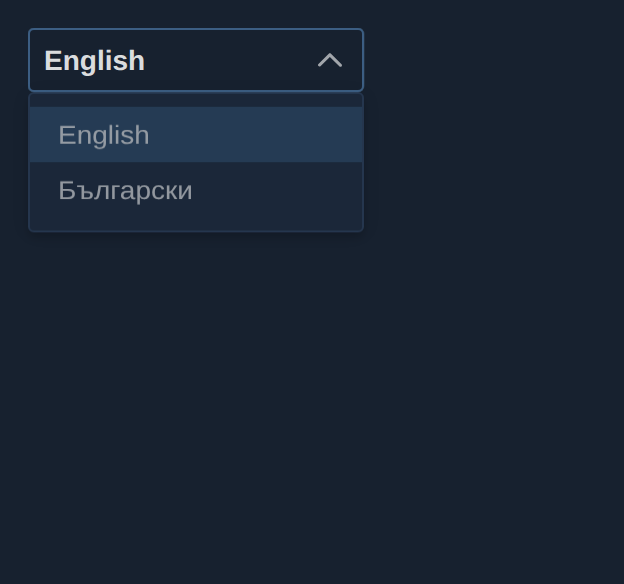
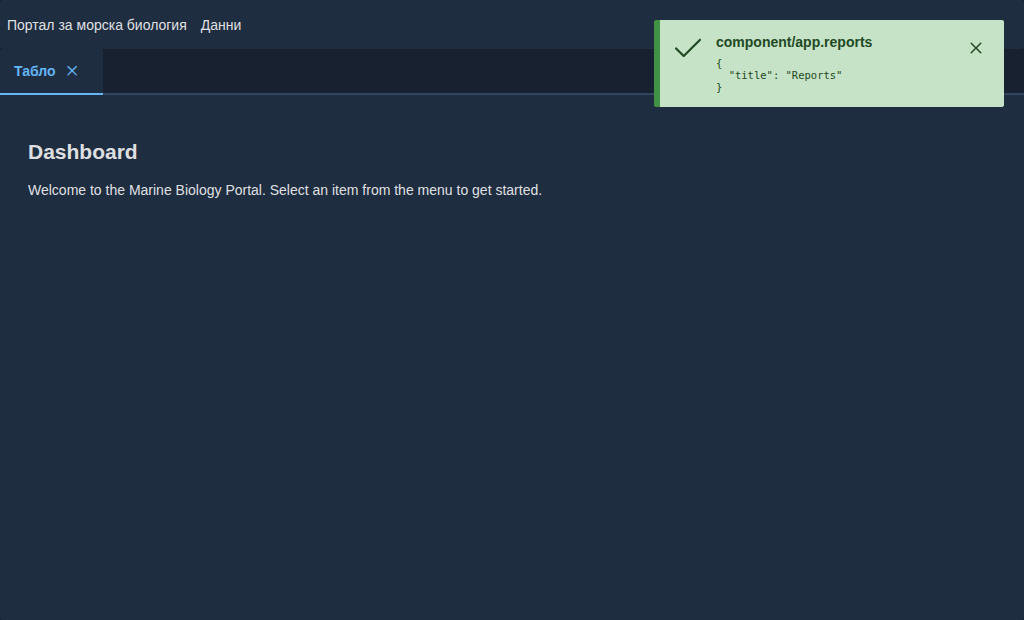
Two honest footnotes go with it. The switcher's own labels are data, so a language appears in the
list under the name the configuration gives it. And not every control in the component library
routes through <Text>: the editor's built-in toolbar buttons are raw HTML buttons with English
accessible names, which is exactly the kind of detail a coverage claim hides and a documented caveat
does not.
Reviewing a second language
A Storybook story can be rendered in another language with one argument:
export const ToolbarBG: Story = {...Toolbar};
ToolbarBG.args = {lang: 'bg'};
The dispatcher decorator applies the language, the dictionary and the widget locale for that story, so the Bulgarian variant is reviewed as a picture next to the English one instead of as a paragraph in a pull request. The same mechanism is what the Playwright suite drives when it switches a real portal and screenshots both states.
The mechanism, the configuration keys and the widgets that do not translate are in internationalisation; the stack and the realm's contributions are in the blong-browser pattern and the browser UI concept.